Setup Wizard
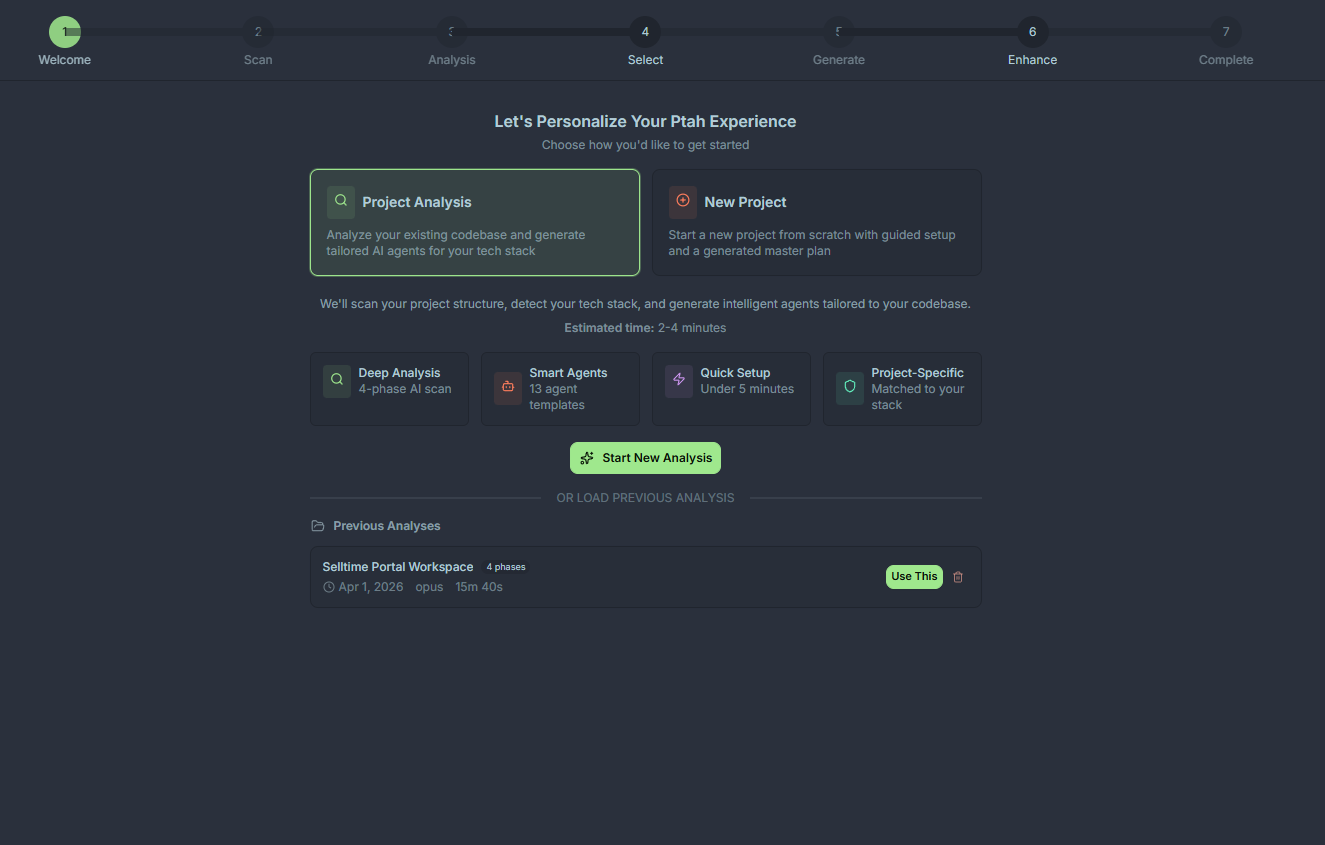
The Setup Wizard (the Workspace Analysis card in the Setup Hub) turns your workspace into a tuned team of AI agents. It analyzes your code, detects your stack, proposes specialists, and saves them into .claude/agents/ — all in a few clicks.
When to run it
Section titled “When to run it”- The first time you open a project in Ptah
- After a major stack change (e.g., migrating from REST to GraphQL, adding a mobile app)
- When you want to refresh agent prompts against the latest codebase conventions
The seven steps
Section titled “The seven steps”The wizard always runs in this order. A progress indicator shows where you are.
Step 1 — Welcome
Section titled “Step 1 — Welcome”A short summary of what the wizard will do and what it will write. Nothing is scanned or written yet.
Step 2 — Scan
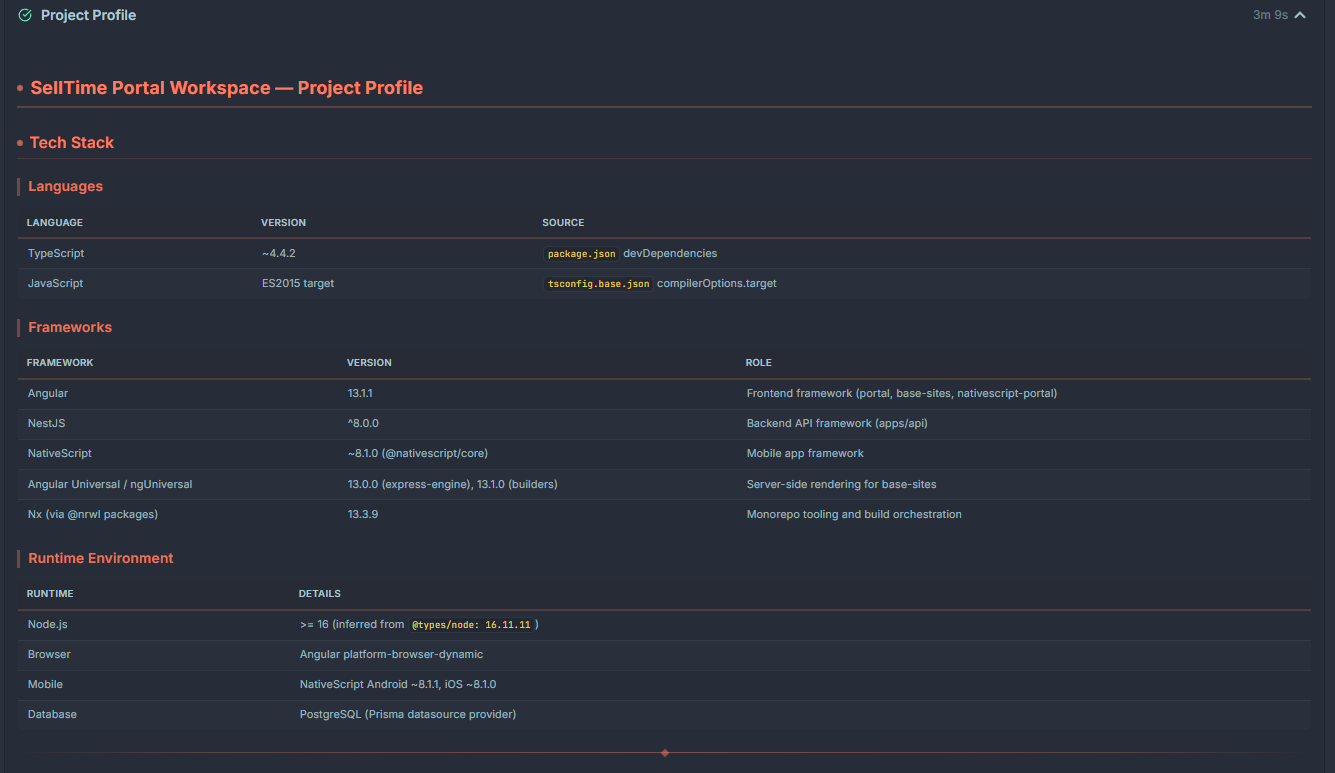
Section titled “Step 2 — Scan”Ptah scans your workspace to build a fingerprint: package manifests, lockfiles, framework configs, test runners, CI pipelines, and directory conventions. The scan is local and read-only.
You’ll see a live progress list as files are analyzed.
Step 3 — Analysis
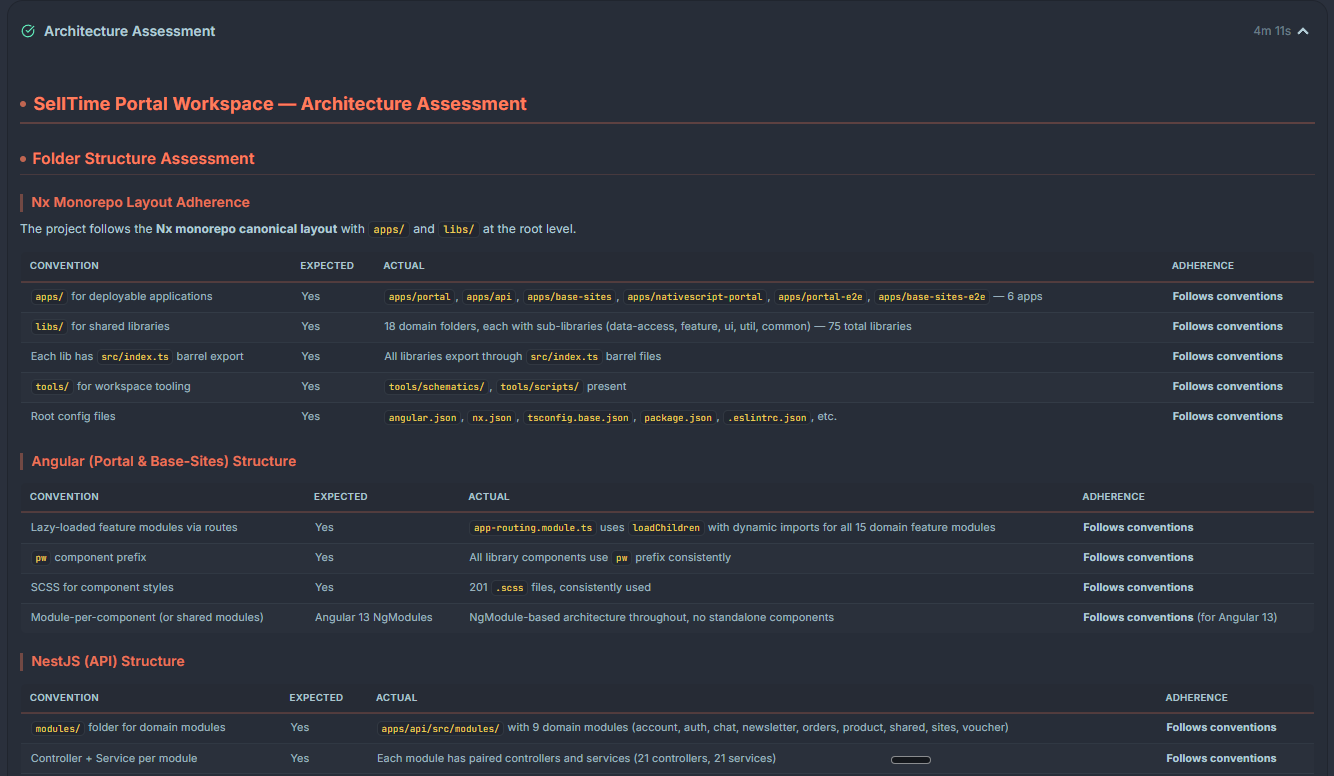
Section titled “Step 3 — Analysis”The scan results are summarized into a detected stack — languages, frameworks, databases, cloud targets, testing tools, and build systems. The wizard streams its reasoning as an execution tree, so you can see how it reached each conclusion.
Step 4 — Agent selection
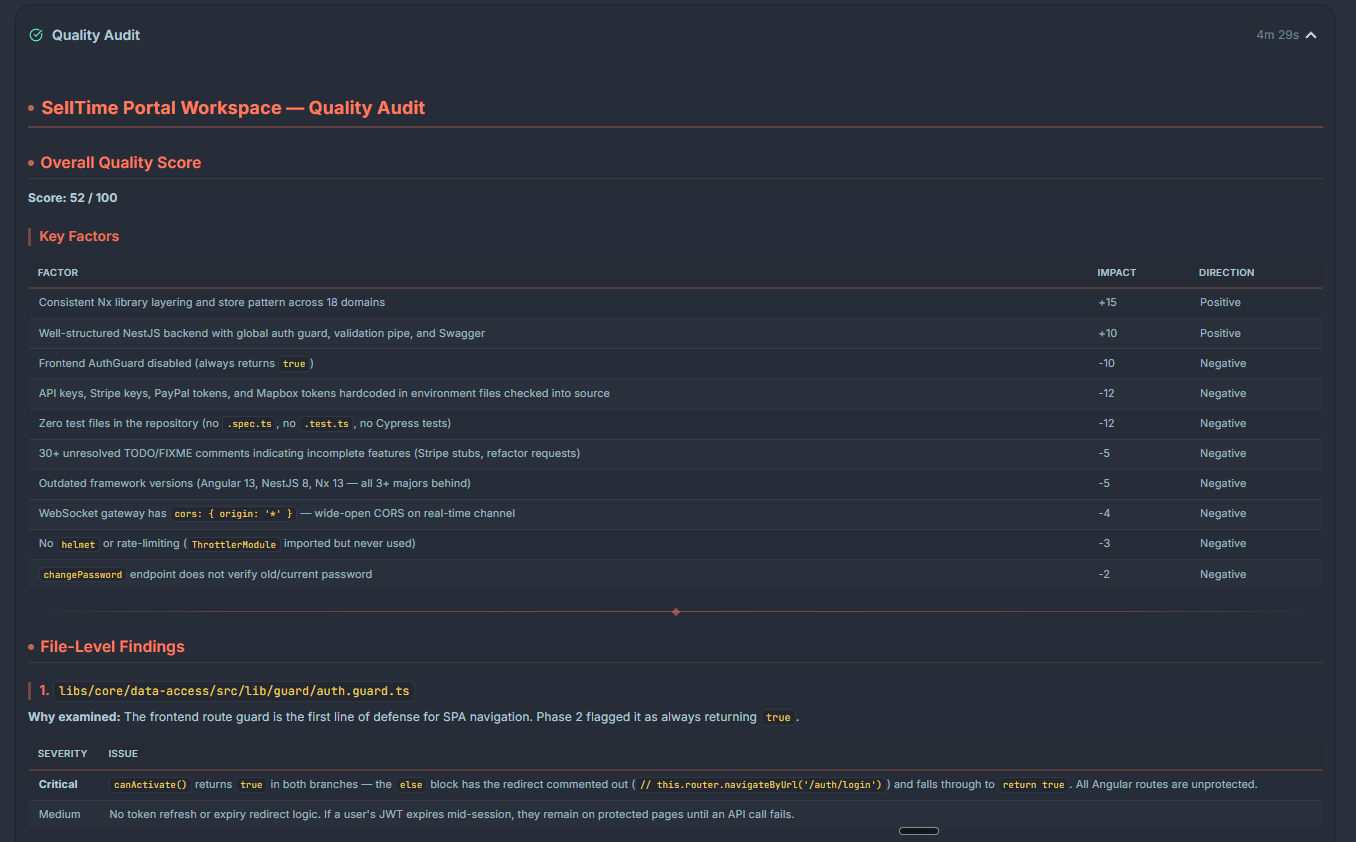
Section titled “Step 4 — Agent selection”Ptah uses the detected stack to propose an agent roster. All 14 built-ins are recommended by default. The wizard also proposes stack-specific variations (for example, a backend-developer tuned for NestJS and Prisma) and offers opt-in specialists such as video-director unchecked.
Each proposal shows:
- Name and role
- Suggested system prompt (scrollable preview)
- Tool permissions
- A rationale line explaining why it was suggested
Toggle agents on or off here.
Step 5 — Prompt enhancement
Section titled “Step 5 — Prompt enhancement”The wizard rewrites each selected agent’s system prompt against your codebase
conventions. This is where a generic frontend-developer learns that your
project uses signals and OnPush, or that your tests run under Jest.
Review the enhanced prompts before you continue. A summary card shows what changed for each agent.
Step 6 — Generation
Section titled “Step 6 — Generation”Ptah writes the roster to .claude/agents/. A progress list shows each agent as
it is written.
Step 7 — Completion
Section titled “Step 7 — Completion”A summary of what was created, with a link into the Agents panel. Ptah reloads the agent registry automatically — no restart needed.
What gets written
Section titled “What gets written”<workspace-root>/ .claude/ agents/ project-manager.md software-architect.md backend-developer.md frontend-developer.md ...Each file is plain Markdown with YAML frontmatter:
---name: backend-developerdescription: Implements server-side features with NestJS + Prisma conventions.tools: [read, write, bash, ptah_search_files]---
You are a senior backend engineer working in a NestJS monorepo...
Re-running the wizard
Section titled “Re-running the wizard”Open the Setup Hub → Workspace Analysis card at any time (or Command Palette → Ptah: Run Agent Setup Wizard). The wizard detects existing agents and presents a merge view so you don’t overwrite manual edits.
Setup Wizard vs. AI Team Builder
Section titled “Setup Wizard vs. AI Team Builder”The Setup Wizard is the fast, opinionated path: point it at a repo and it generates a sensible roster. The AI Team Builder is the hands-on path: describe what you’re building and shape the agents, skills, prompts, and MCP servers conversationally. Most people start with the wizard and reach for the builder when they want full control.