Chat
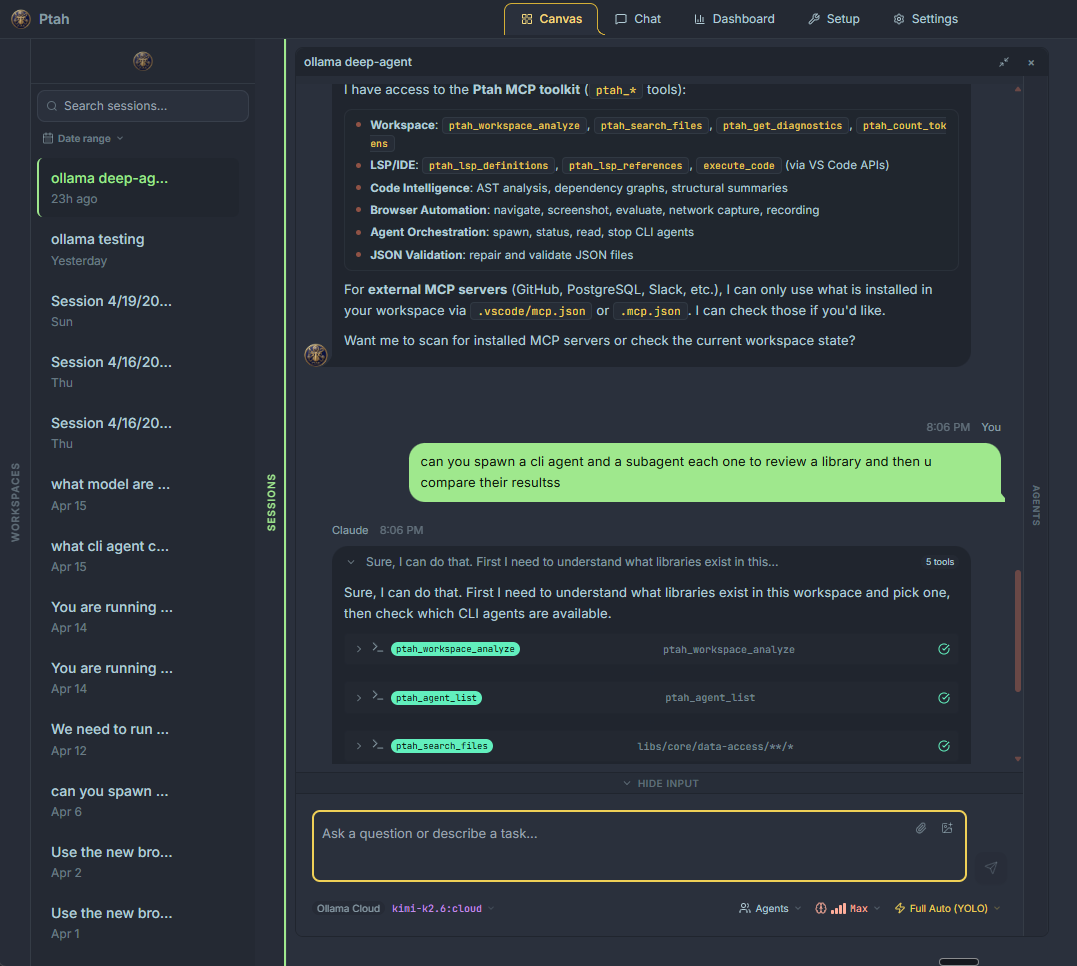
The Chat view is where you talk to Ptah. It combines a streaming conversation UI with first-class support for multi-file context, agent orchestration, and cost tracking — so you can stay in one place while Ptah coordinates work across providers and sub-agents.
What the chat gives you
Section titled “What the chat gives you”- Streaming responses from whichever provider you have selected (Claude, Copilot, Codex, Ollama, OpenRouter, or a custom CLI agent).
@autocomplete to attach files, folders, agents, and skills from your workspace as context.- Effort levels (Quick, Balanced, Thorough) that tune latency, cost, and depth in a single click.
- Autopilot that watches the conversation and spawns specialist sub-agents when the work calls for it.
- Live cost and token counters per message and per session, with accurate pricing pulled from OpenRouter for third-party models.
- Execution Tree — a recursive visualization of every sub-agent spawn, tool call, and thinking block in the turn.
- In-chat model switcher so you can change providers mid-conversation without losing your thread.
Anatomy of a chat session
Section titled “Anatomy of a chat session”| Area | What it does |
|---|---|
| Composer | Where you type. Supports @ mentions, multi-line input, and drag-and-drop file attachments. |
| Messages | Streaming assistant output, your messages, and inline tool-call cards. |
| Execution Tree | A collapsible tree showing every sub-agent, tool call, and thinking block for the current turn. |
| Cost bar | Running totals for the session — tokens in / out, cache hits, and USD cost. |
| Model selector | Switch provider and model without starting a new conversation. |
| Effort selector | Pick Quick, Balanced, or Thorough for the next message. |
Where to go next
Section titled “Where to go next”- Sending messages — composing, streaming, and aborting responses.
- File attachments — the
@autocomplete and unified suggestions dropdown. - Effort levels — when to use Quick, Balanced, or Thorough.
- Autopilot — let Ptah spawn sub-agents automatically.
- Cost and tokens — understand what each turn costs.
- Execution Tree — inspect how a response was produced.
- Switching models — change provider mid-conversation.