Autopilot
Autopilot
Section titled “Autopilot”Autopilot lets the main chat agent decide, in real time, whether a subtask should be handed to a specialist sub-agent instead of answered directly. It is the same mechanism the /orchestrate workflow uses — exposed as a toggle in the chat header so you get it on every turn.
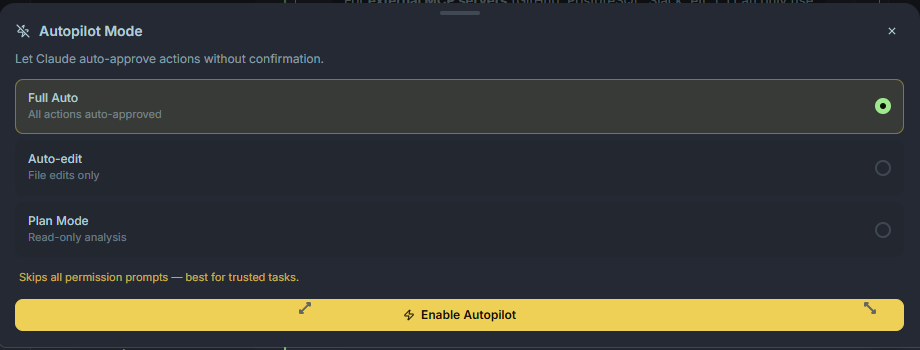
How it works
Section titled “How it works”When Autopilot is on:
- The main agent sees the full catalog of available agents — built-in specialists,
.claude/agents/entries, and any detected CLI agents (ptah-cli, Codex, Copilot). - As the conversation progresses, the agent can call
ptah_agent_spawnto delegate a well-scoped subtask. - Sub-agents run in parallel (up to three concurrent by default), stream their output into the Execution Tree, and report back.
- The main agent integrates the results and continues the conversation.
When Autopilot is off, the main agent answers everything itself. Tool calls still happen, but no sub-agents are spawned.
When Autopilot shines
Section titled “When Autopilot shines”- Multi-file features — a frontend agent, a backend agent, and a test agent can work in parallel.
- Cross-cutting refactors — one agent per package or layer.
- Research tasks — spawn two or three readers at once to explore different areas of the codebase concurrently.
When to turn it off
Section titled “When to turn it off”- Short, conversational turns where the overhead of a sub-agent isn’t worth it.
- Tight-budget work — each sub-agent has its own context and adds to the session cost.
- Deterministic flows where you want the main agent to stay in control end-to-end.
Selection priority
Section titled “Selection priority”When Autopilot picks a CLI agent to run a subtask, it uses this priority:
ptah-cli > codex > copilot
You can disable specific CLIs from the agent orchestration settings (agentOrchestration.disabledClis in ~/.ptah/settings.json). This is a hard disable, not just an Autopilot filter: a disabled CLI is dropped from the candidate pool and an explicit ptah_agent_spawn { cli: "codex" } for it is rejected with CLI agent 'codex' is disabled. Disabled CLIs still appear in ptah_agent_list with a disabled status so the restriction is visible before a spawn fails.