Built-in Agents
Built-in Agents
Section titled “Built-in Agents”Ptah ships with 14 built-in agents covering planning, implementation, review, research, design, and visual QA. They are always available from the agent picker and never need to be installed. A 15th agent, video-director, is offered as an opt-in specialist for marketing and demo videos.
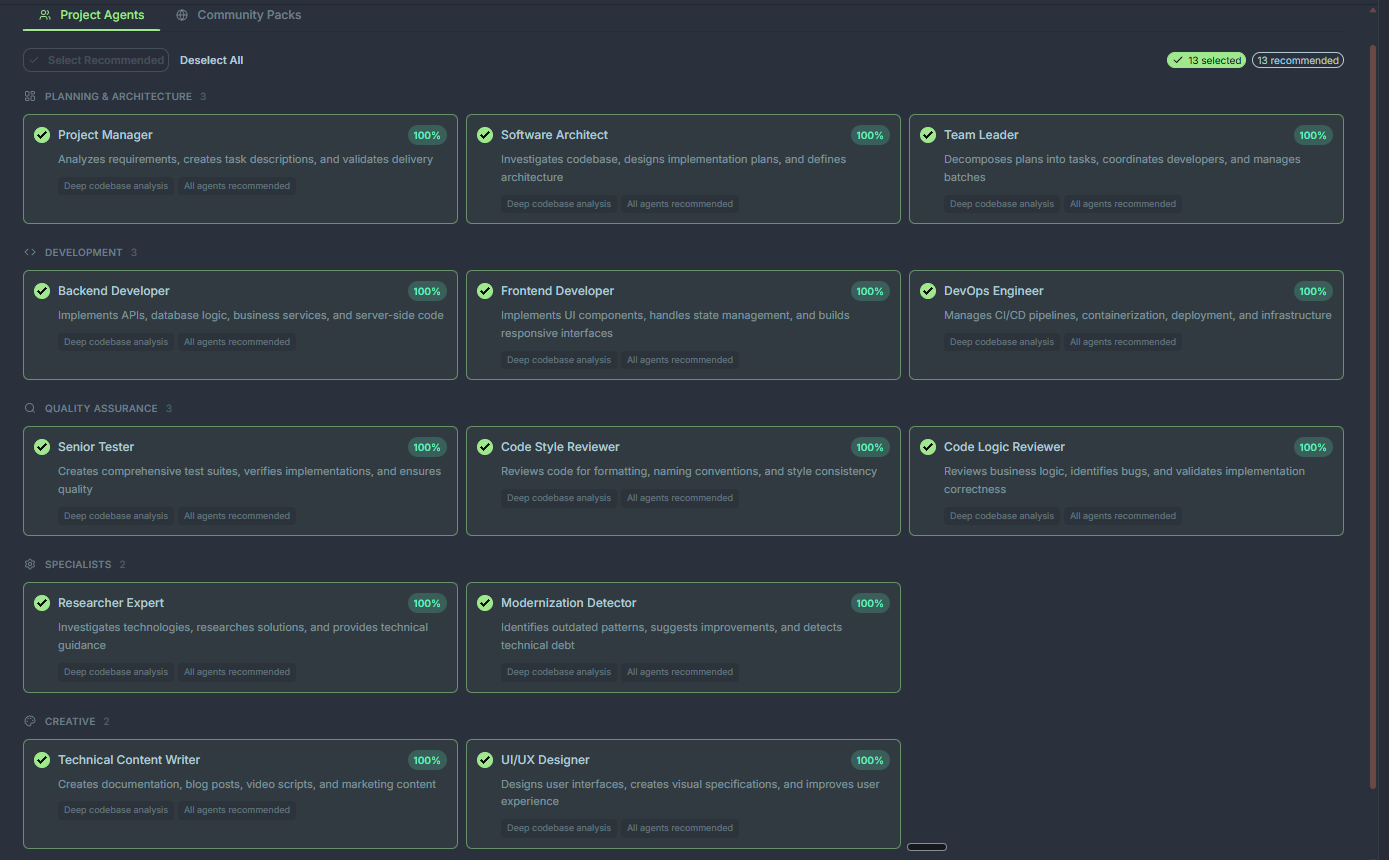
The catalog
Section titled “The catalog”| Agent | Role | Reach for it when… |
|---|---|---|
| project-manager | Breaks work into tasks, tracks status, coordinates handoffs | You have a vague goal and need it turned into actionable tickets |
| software-architect | Designs systems, picks patterns, authors ADRs | You’re starting a new module or making a cross-cutting change |
| team-leader | Delegates to specialists, enforces standards, reviews output | You want a single point of contact for a multi-agent task |
| backend-developer | Server code, APIs, databases, services | Implementing endpoints, migrations, business logic, workers |
| frontend-developer | UI components, state, routing, accessibility | Building pages, components, or fixing frontend bugs |
| devops-engineer | CI/CD, containers, infra-as-code, release automation | Wiring GitHub Actions, Docker, deploy pipelines, monitoring |
| senior-tester | Unit, integration, and e2e test strategy | You need coverage for new code or a regression suite |
| code-style-reviewer | Lint, formatting, naming, idioms, readability | Pre-merge style pass or cleanup sprint |
| code-logic-reviewer | Business logic, edge cases, state transitions, concurrency | Critical paths, payment flows, auth, anything load-bearing |
| visual-reviewer | UI/UX visual bugs, responsive breakpoints, accessibility | Verifying a UI change looks right across viewports and states |
| researcher-expert | Evaluates libraries, patterns, API docs, RFCs | Choosing a dependency or exploring an unfamiliar domain |
| modernization-detector | Spots outdated patterns, deprecated APIs, legacy idioms | Before a refactor sprint or framework upgrade |
| ui-ux-designer | Visual design, design systems, component specs | Creating landing pages, brand assets, design tokens |
| technical-content-writer | Marketing copy, docs, blogs, video scripts | Release notes, launch pages, tutorials, API references |
Agent groups at a glance
Section titled “Agent groups at a glance”Planning & Leadership
Section titled “Planning & Leadership”project-manager → software-architect → team-leader
Use this trio when you’re kicking off something non-trivial. The project manager writes the brief, the architect designs the approach, and the team leader supervises execution.
Implementation
Section titled “Implementation”backend-developer, frontend-developer, devops-engineer
The hands-on-keyboard agents. They write, modify, and ship code. They also know when to spawn CLI helpers for bulk file work — see CLI agents.
Quality & Review
Section titled “Quality & Review”senior-tester, code-style-reviewer, code-logic-reviewer, visual-reviewer
Ptah runs a three-phase review protocol: style (40%), logic (35%), security (25%). Pair these with your normal PR review flow for a belt-and-suspenders check. visual-reviewer adds a browser-based pass for UI work — responsive breakpoints, interaction states, and accessibility.
Research & Design
Section titled “Research & Design”researcher-expert, modernization-detector, ui-ux-designer, technical-content-writer
Non-implementation specialists. They produce specs, briefs, reports, and content artifacts that the implementation agents then execute on.
How picking works
Section titled “How picking works”When you start a chat, Ptah shows all 14 built-in agents in the picker (plus any opt-in specialists you’ve enabled). You can:
- Choose explicitly — pick an agent from the dropdown before sending.
- Let the orchestrator decide — leave the default and the orchestrator delegates for you.
- @-mention — type
@agent-nameanywhere in your message to route that turn.
Opt-in specialists
Section titled “Opt-in specialists”Some agents ship with Ptah but aren’t pre-selected, so they’re only generated when you add them. The setup wizard offers them unchecked — tick the box to include one in your workspace.
| Agent | Role | Reach for it when… |
|---|---|---|
| video-director | Narrated, camera-animated marketing/demo videos from UI walkthroughs | You want to generate product tours or launch videos from your app |
video-director pairs with the video-showcase skill (bundled via the ptah-video plugin) to drive the capture → narrate → render pipeline. See the skill’s docs for authoring scenes and tuning the camera.
Customizing built-ins
Section titled “Customizing built-ins”You can override any built-in by creating a file of the same name in <workspace-root>/.claude/agents/. Workspace files take precedence over bundled defaults. See Custom agents for the full flow.