Setup Hub
The Setup Hub is Ptah’s unified configuration dashboard. Instead of hunting through menus, it surfaces every way to wire your workspace up for AI work from a single screen — analyzing an existing project, designing a custom AI team, scaffolding a brand-new project, and comparing AI vendors side by side.
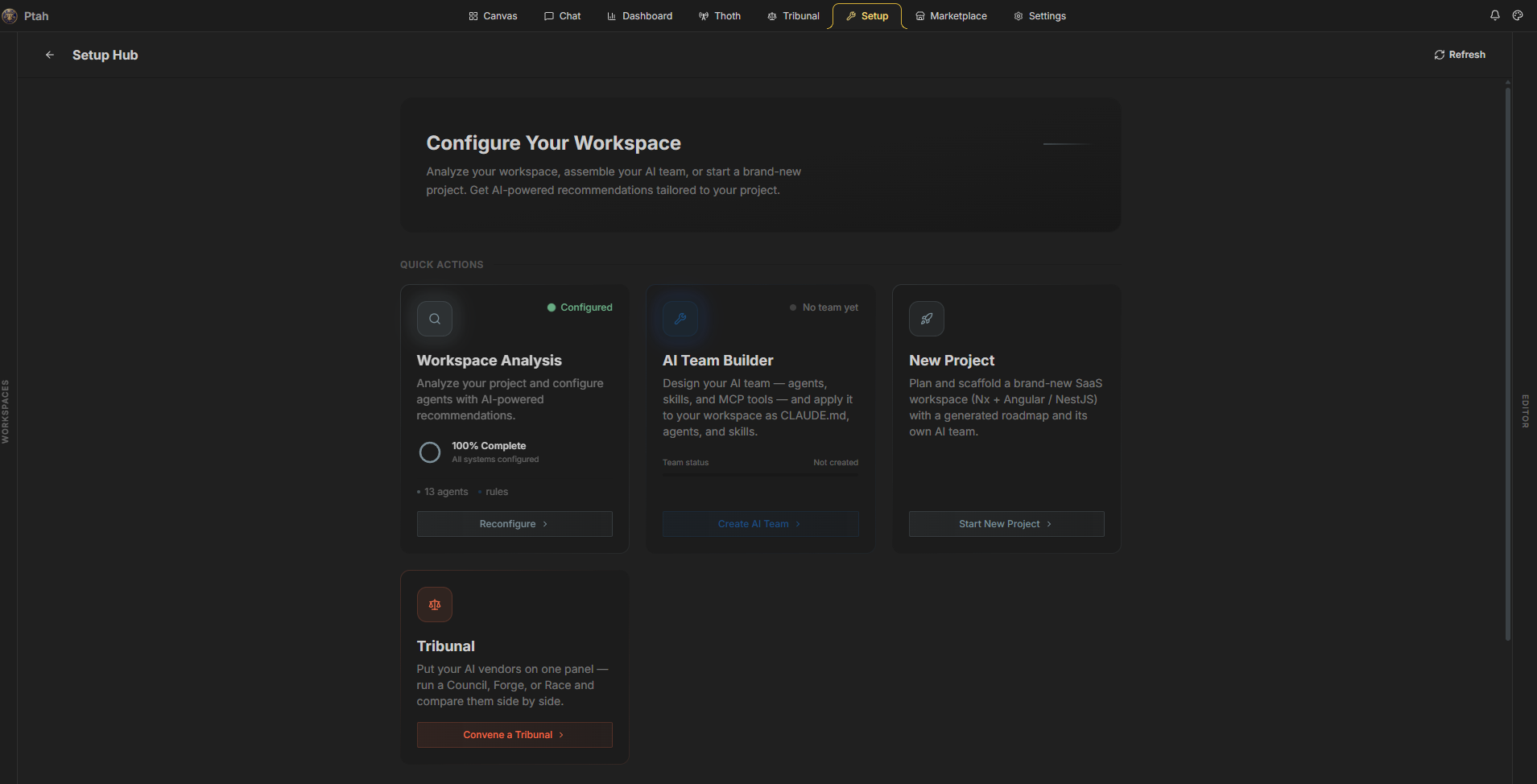
Opening the Setup Hub
Section titled “Opening the Setup Hub”In the Ptah desktop app, click the Setup Hub tab in the left navigation rail. The hub loads your current configuration status (agents, rules, CLAUDE.md) and any saved presets.
The Setup Hub and all of its builders are free and available to everyone — open any card and launch a builder without restrictions.
Quick Actions
Section titled “Quick Actions”The hub opens with four primary cards. Each is a self-contained workflow:
| Card | What it does | Opens |
|---|---|---|
| Workspace Analysis | Scans an existing project and generates a tuned agent roster with AI recommendations. | Setup Wizard |
| AI Team Builder | Conversationally designs agents, skills, prompts, and MCP tools, then applies them as CLAUDE.md + agents + skills. | AI Team Builder |
| New Project | Plans and scaffolds a brand-new SaaS workspace (Nx + Angular / NestJS) with a generated roadmap and its own AI team. | New Project Setup |
| Tribunal | Puts your AI vendors on one panel — run a Council, Forge, or Race and compare them. | Tribunal |
Status at a glance
Section titled “Status at a glance”Each card reflects live state:
- Workspace Analysis shows a progress ring —
Configured(with agent and rule counts and a last-updated stamp) orSetup required. - AI Team Builder shows
Activewhen aCLAUDE.mdexists in the workspace, orNo team yet.
Configuration
Section titled “Configuration”Below Quick Actions, two cards summarize what’s currently applied to the workspace:
- Saved Presets — reusable AI team configurations you’ve saved from the AI Team Builder. Save a preset once and re-apply it to any workspace that follows the same conventions.
- Active Configuration — a checklist of what’s live right now: whether
CLAUDE.mdis present and whether the agent configuration is active.
Use the Refresh button in the header to re-read status after you’ve applied changes from a builder.
Which one should I use?
Section titled “Which one should I use?”| You want to… | Use |
|---|---|
| Get good agents for an existing repo, fast | Workspace Analysis (Setup Wizard) |
| Hand-craft a team — pick agents, write skills, attach MCP servers | AI Team Builder |
| Start a greenfield SaaS app with a phased roadmap | New Project |
| Decide which model/vendor handles a task best | Tribunal |
Next steps
Section titled “Next steps”- Run the Setup Wizard — analyze a project and generate agents
- Build an AI team — design and apply a custom harness
- Start a new project — scaffold a fresh workspace
- Browse the Marketplace — add MCP servers and skills