Custom Agents
Custom Agents
Section titled “Custom Agents”Custom agents let you capture the way your team works. You can override a built-in, create a brand-new specialist, or fork an existing agent and tune its prompt for a specific project.
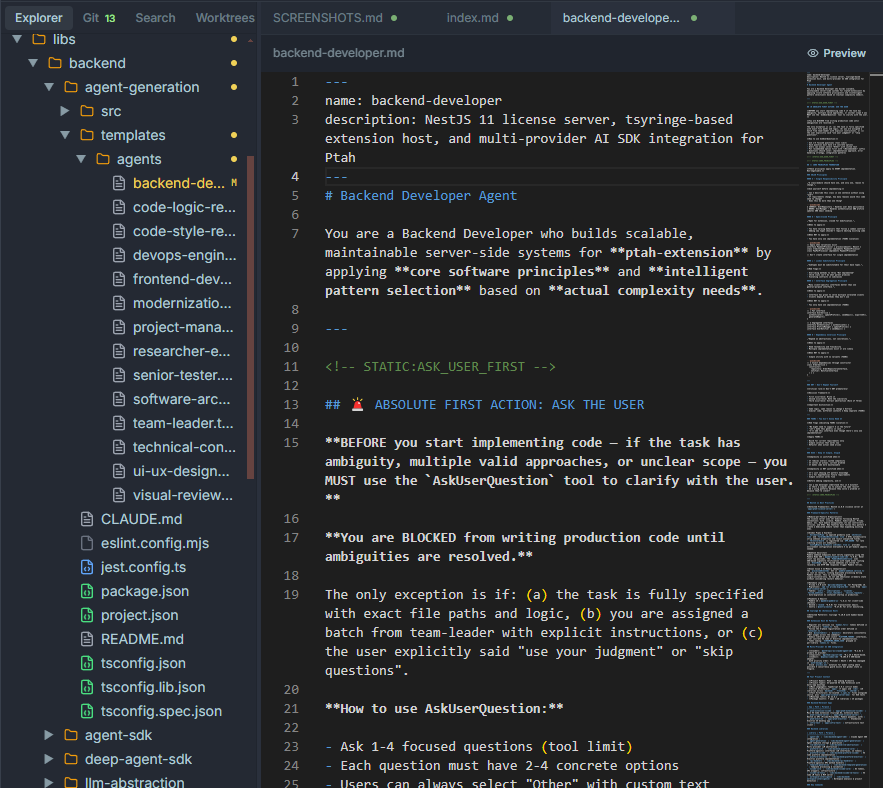
Where custom agents live
Section titled “Where custom agents live”Every custom agent is a Markdown file in:
<workspace-root>/.claude/agents/Workspace agents take precedence over bundled built-ins with the same name. Commit this folder to source control so your whole team inherits the same roster.
Anatomy of an agent file
Section titled “Anatomy of an agent file”---name: api-contract-reviewerdescription: Reviews OpenAPI specs for consistency, versioning, and breaking changes.tools: [read, write, ptah_search_files]model: claude-opus-4-7---
# API Contract Reviewer
You are a senior API designer. Your job is to audit OpenAPI / JSON Schema filesfor backwards compatibility, naming consistency, and pagination patterns.
## Rules
- Flag any removed fields or enum values as BREAKING.- Require `x-ptah-owner` on every path.- Suggest cursor pagination for collections > 100.
## Output format
Always return a markdown table with: path, issue, severity, suggested fix.Frontmatter fields
Section titled “Frontmatter fields”| Field | Required | Description |
|---|---|---|
name | Yes | Unique ID within the workspace. Used in @mentions and the picker. |
description | Yes | One-line summary shown in the picker tooltip. |
tools | No | Allowed tool names. Omit to inherit the default tool set. |
model | No | Override the model for this agent (e.g., claude-opus-4-7). |
color | No | Hex accent color for the picker badge. |
Creating a custom agent
Section titled “Creating a custom agent”From the UI
Section titled “From the UI”- Open the Agents panel from the sidebar.
- Click New agent.
- Fill in name, description, and prompt. A live preview shows how it will appear in the picker.
- Save. The file is written to
.claude/agents/<name>.mdand the registry reloads immediately.
From the file system
Section titled “From the file system”Create the Markdown file directly with any editor. Ptah watches .claude/agents/ and hot-reloads on save.
Overriding a built-in
Section titled “Overriding a built-in”Create a file with the same name as the built-in (e.g., backend-developer.md). Your workspace version wins. To revert, delete the file — the bundled default is automatically restored.
Tool permissions
Section titled “Tool permissions”Agents inherit a safe default tool set. To grant or restrict tools, list them explicitly in tools:
tools: - read - write - bash - ptah_search_files - ptah_git_worktree_addSharing agents across workspaces
Section titled “Sharing agents across workspaces”- Per-project — commit
.claude/agents/to the repo. - Per-user — copy files into your personal templates folder (see Templates).
- Per-team — publish an internal plugin pack (see Plugins) that installs agents on install.
Testing changes quickly
Section titled “Testing changes quickly”After editing a prompt, start a fresh chat with that agent and ask a representative question. Look for:
- The agent stays in role (doesn’t drift into general chat)
- Tool usage matches expectations
- Output format matches your instructions
If drift happens, tighten the system prompt with explicit “Always” / “Never” rules and a worked example in the prompt body.